šŸ”„ Launch Offer — 80% OFF for Early Customers

Trusted HR Platform

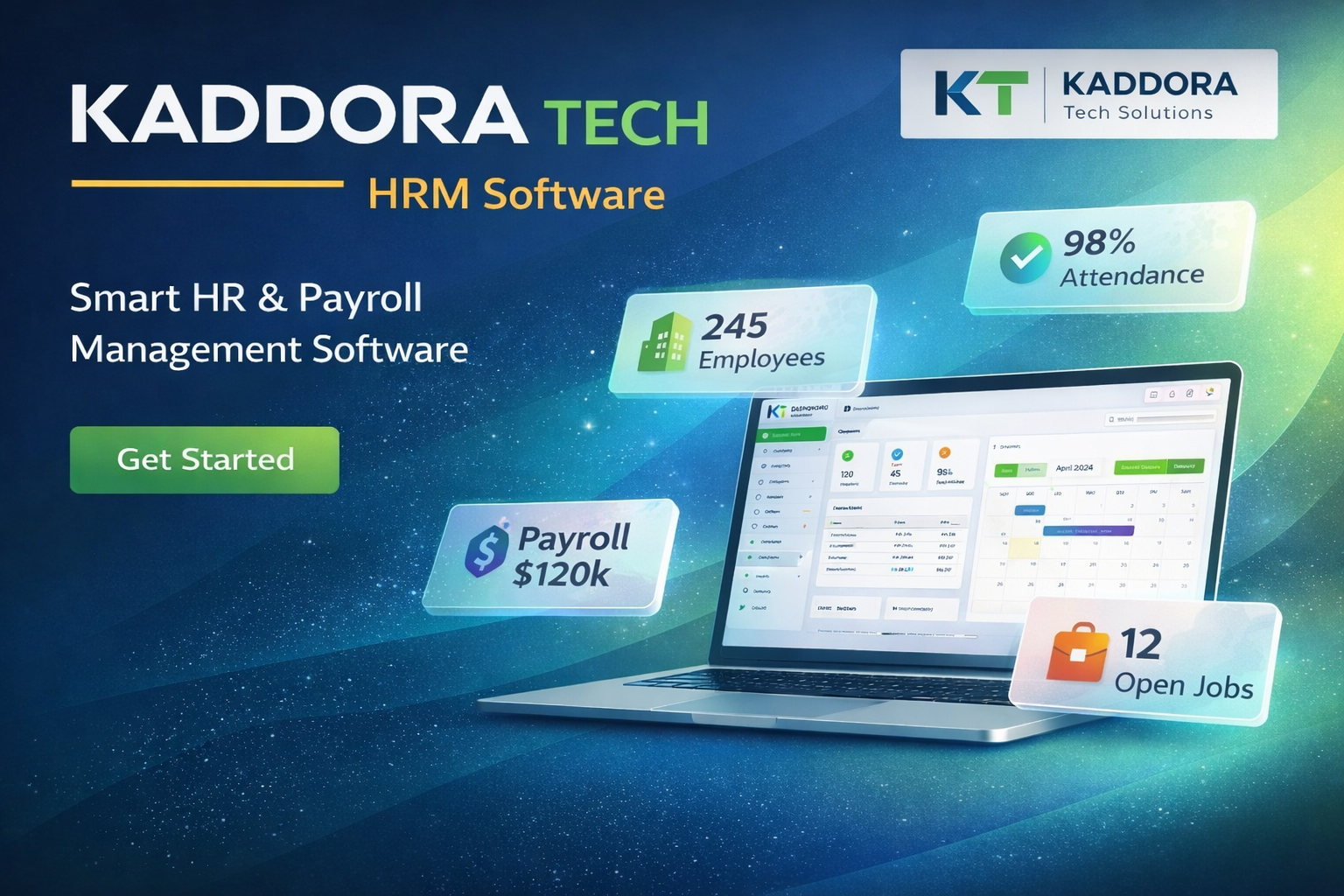
All-in-One HR & Payroll Management Software

Manage employees, attendance, payroll, and hiring in one smart cloud platform designed for modern teams.

Secure Fast Setup Team Ready
Analytics
Automation
https://hrmskdr.kaddora.com/
Trusted by 1,000+ growing companies
HR Modules

Everything You Need to Manage Your Workforce

Manage employees, attendance, payroll, recruitment, and performance from a single integrated HR platform.

Secure
Fast
Flexible
Included

Attendance & Leave

Smart attendance tracking with shifts, holidays, overtime, and leave policies. Employees can request leave, managers approve instantly, and balances update automatically in real time.

Included

Payroll & Compliance

Fully automated payroll with salaries, allowances, deductions, taxes, and statutory compliance. Generate payslips, reports, and ensure accurate payroll processing every cycle.

Included

Recruitment

End-to-end hiring workflow from job posting to onboarding. Track candidates, schedule interviews, evaluate applicants, and manage hiring pipelines in one dashboard.

Included

Performance

Set goals, conduct performance reviews, track KPIs, and monitor employee growth. Enable continuous feedback and data-driven appraisal decisions.

Included

HR Analytics

Powerful workforce insights with visual dashboards. Analyze attendance trends, payroll costs, turnover, headcount, and HR performance metrics to support strategic decisions.

HR Modules

All-in-One HR & Payroll Management Software

Manage employees, attendance, payroll, and hiring in one smart cloud platform designed for modern teams.

Clean UI & smooth workflow
Role-based access control
Reports & analytics ready
01
Features

All-in-One HR & Payroll Management Software

Manage employees, attendance, payroll, and hiring in one smart cloud platform designed for modern teams.

Manage employees, attendance, payroll, and hiring in one smart cloud platform designed for modern teams.

Manage employees, attendance, payroll, and hiring in one smart cloud platform designed for modern teams.

02
Features

All-in-One HR & Payroll Management Software

Manage employees, attendance, payroll, and hiring in one smart cloud platform designed for modern teams.

Manage employees, attendance, payroll, and hiring in one smart cloud platform designed for modern teams.

Manage employees, attendance, payroll, and hiring in one smart cloud platform designed for modern teams.

03
Features

All-in-One HR & Payroll Management Software

Manage employees, attendance, payroll, and hiring in one smart cloud platform designed for modern teams.

Manage employees, attendance, payroll, and hiring in one smart cloud platform designed for modern teams.

Manage employees, attendance, payroll, and hiring in one smart cloud platform designed for modern teams.

04
Features

All-in-One HR & Payroll Management Software

Manage employees, attendance, payroll, and hiring in one smart cloud platform designed for modern teams.

Manage employees, attendance, payroll, and hiring in one smart cloud platform designed for modern teams.

Manage employees, attendance, payroll, and hiring in one smart cloud platform designed for modern teams.

DISCOVER

Smart HR Tools for Modern Teams

Go beyond basic HR with automation, insights, and employee-centric experiences designed for growing organizations.

Recruitment Pipeline

Track candidates from application to hire with stages, notes, and interview scheduling in one hiring dashboard.

Onboarding Journeys

Deliver a structured onboarding experience with automated welcome emails, document submission, policy acknowledgements, and role-based task checklists for every new hire.

Performance Reviews

Run continuous performance cycles with goal tracking, self and manager reviews, feedback history, and appraisal workflows that support transparent growth conversations.

Employee Self-Service

Empower employees to manage personal details, download payslips and letters, submit requests, and access HR resources anytime without manual HR assistance.

Shift & Roster Planning

Plan and assign shifts using visual schedules with conflict s, rotation patterns, and workforce availability to ensure optimal coverage across teams and locations.

Expense & Reimbursements

Simplify expense claims with receipt uploads, approval workflows, policy validation, and automatic integration into payroll for accurate and timely reimbursements.

Asset & Equipment Tracking

Track allocation of laptops, devices, IDs, and tools across employees with assignment history, return tracking, and lifecycle visibility during role or status changes.

Employee Engagement

Strengthen workplace culture with surveys, announcements, polls, and recognition tools that encourage participation, feedback, and meaningful team connection.

Exit & Offboarding

Manage resignations, exit checklists, approvals, asset recovery, and final settlements through guided workflows that ensure smooth and compliant employee departures.

SCREENSHOTS

All-in-One HR & Payroll Management Software

Manage employees, attendance, payroll, and hiring in one smart cloud platform designed for modern teams.

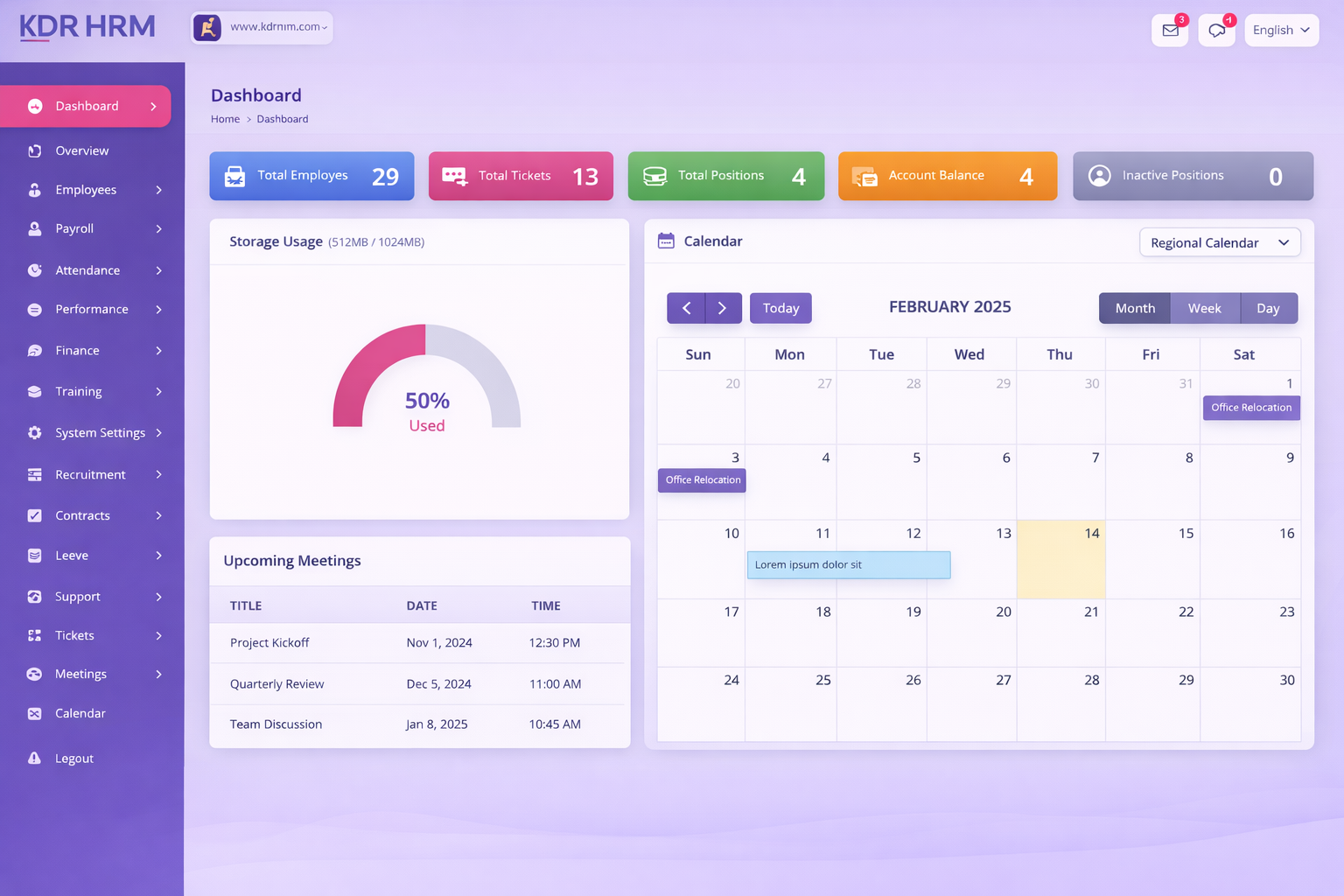
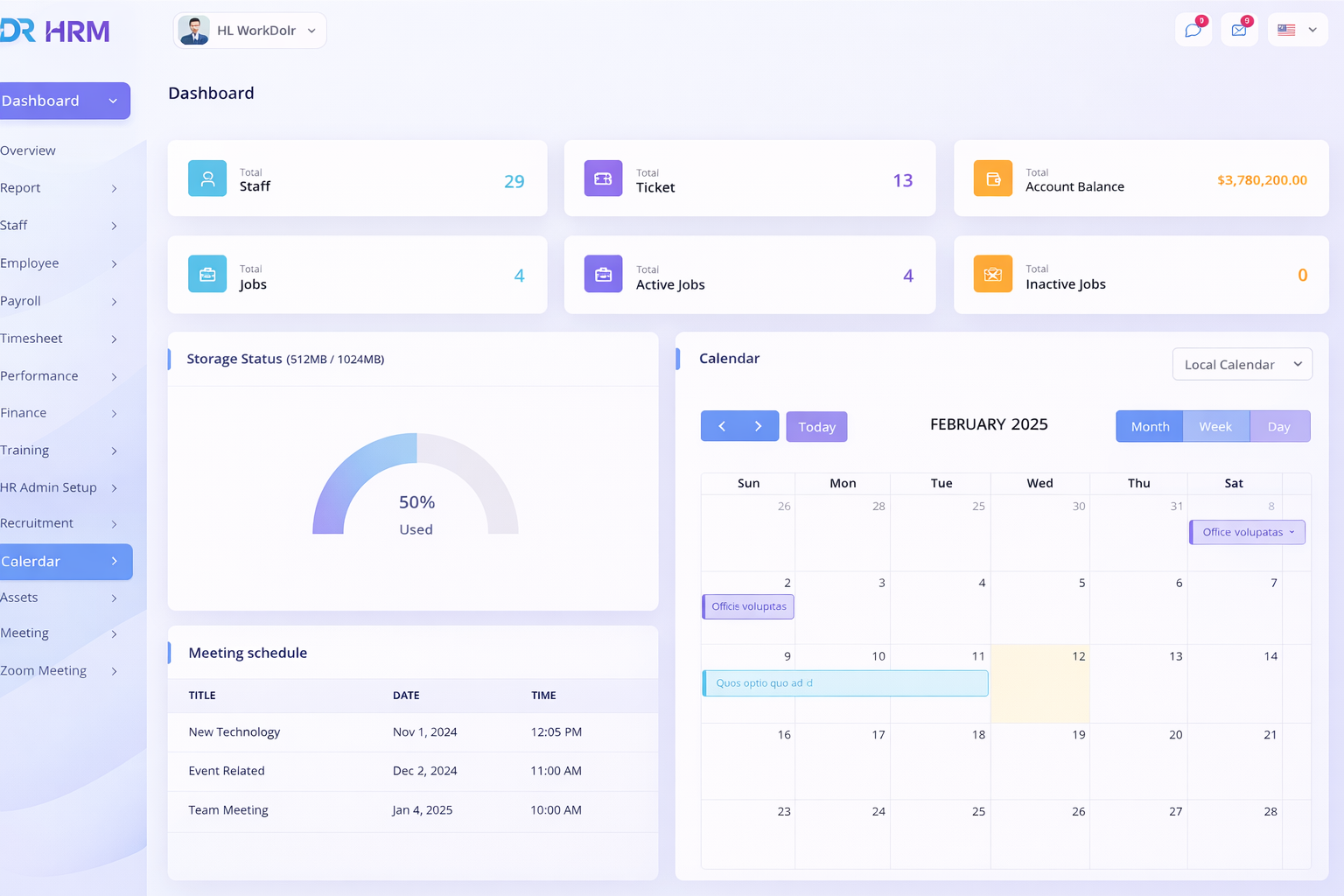
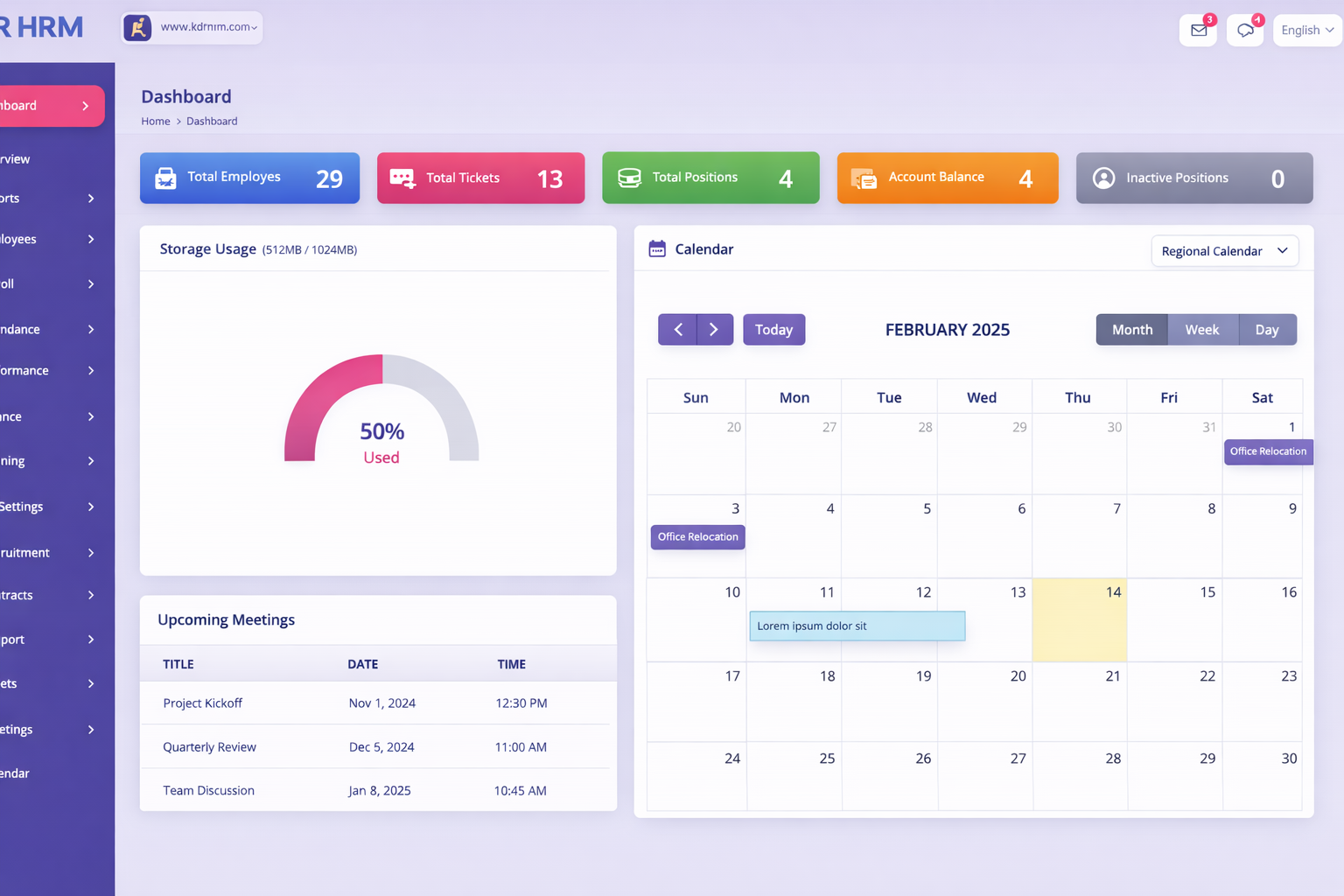
HRM Dashboard
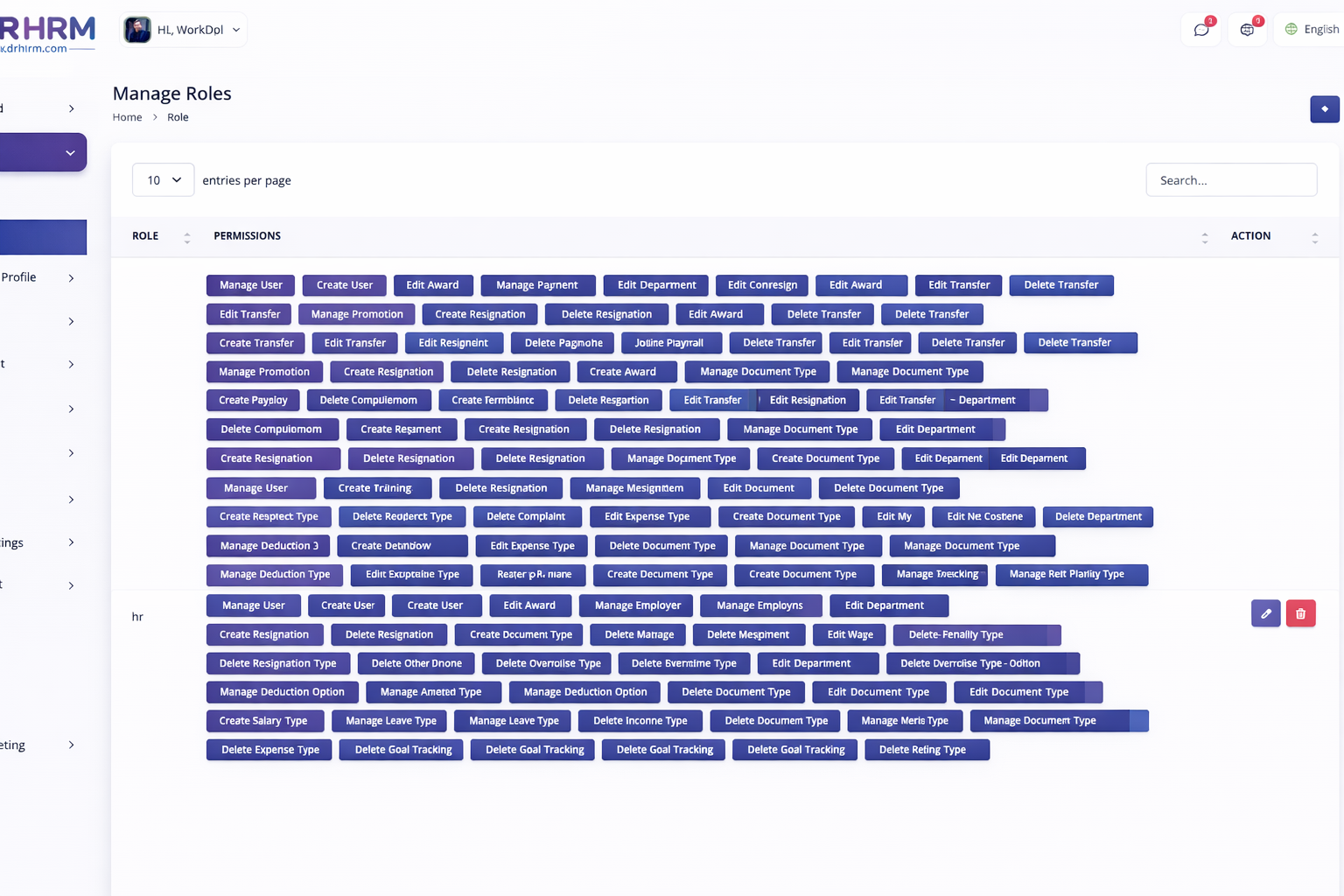
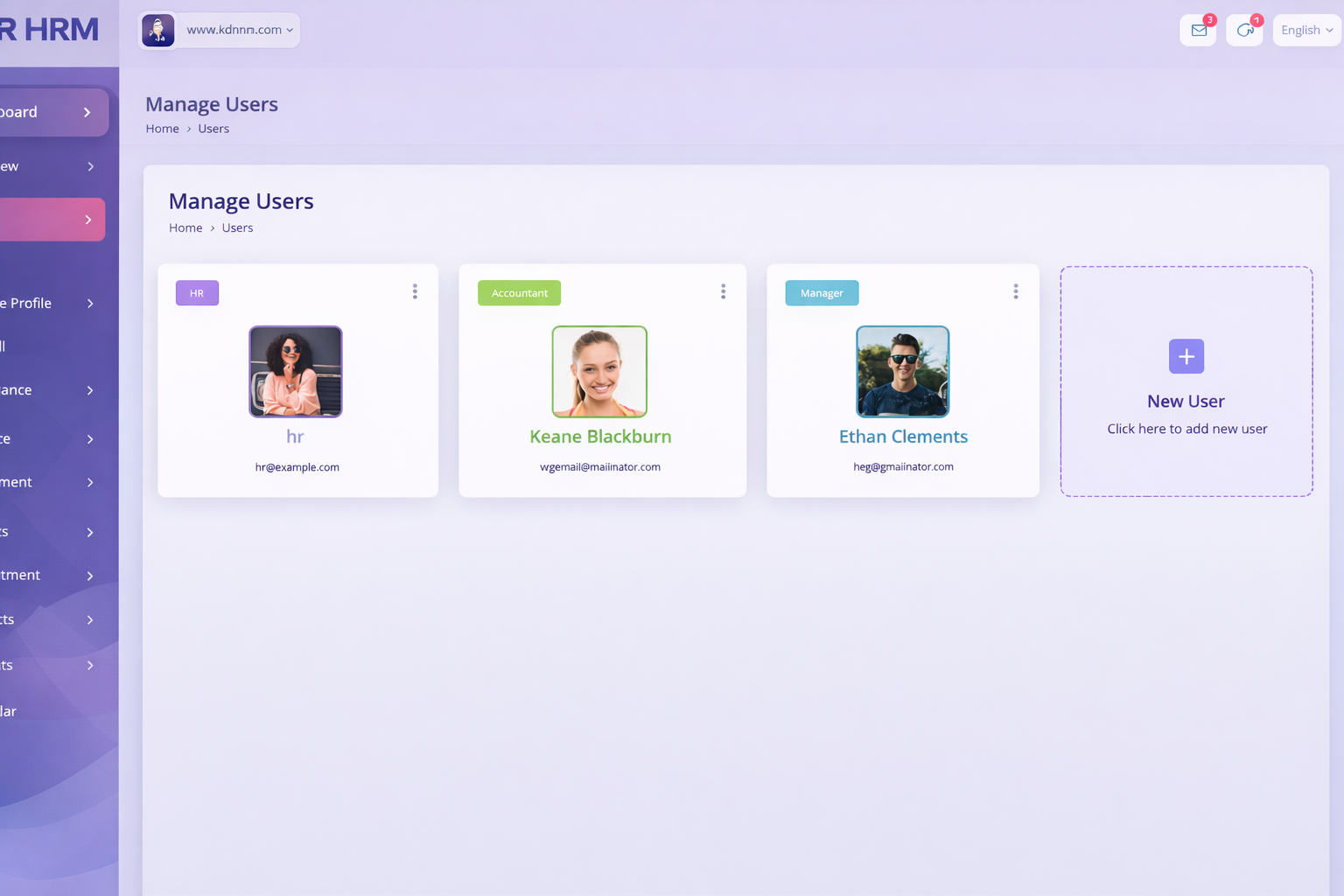
User Roles
Profile Overview
HRM Users
Contract Page
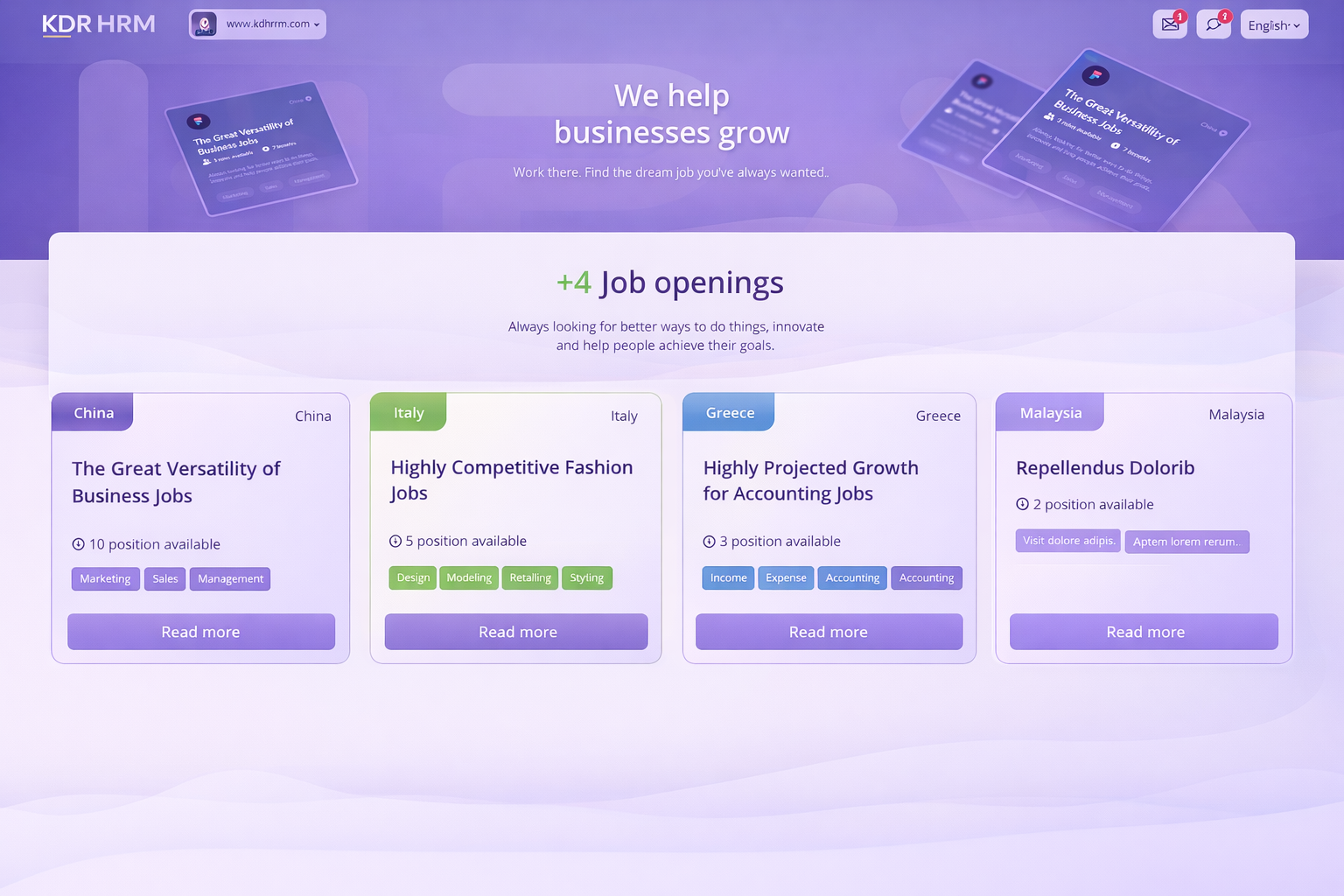
Job Career
PLAN

All-in-One HR & Payroll Management Software

Manage employees, attendance, payroll, and hiring in one smart cloud platform designed for modern teams.

Free Plan

$0.00 /Lifetime

  • 1 Users
  • 5 Employees
  • 1024 MB Storage
  • AI Included
Choose Plan

Silver

$50.00 /year

most valuable plan

  • 50 Users
  • 100 Employees
  • 2000 MB Storage
  • AI Included
Choose Plan
Faq

All-in-One HR & Payroll Management Software

Manage employees, attendance, payroll, and hiring in one smart cloud platform designed for modern teams.

Need more help?
We are here to support your HR team.
Start Free Trial

User account setup refers to the initial process of creating and configuring access credentials so a person can securely use the system. During setup, basic details such as name, email address, password, and role are defined. Roles determine what the user can view or manage, such as employee records, payroll data, or reports. Proper setup ensures that each individual sees only the information relevant to their responsibilities, improving both security and workflow efficiency. It also allows personalized settings like notifications, language, or timezone preferences.

A user dashboard is the personalized home screen that appears after login, presenting key information and shortcuts relevant to the individual. It typically shows summaries such as attendance status, upcoming tasks, notifications, or recent activity. The dashboard helps users quickly understand what needs attention without navigating through multiple sections. It may also include widgets, charts, or reminders that update automatically based on real-time data. By centralizing important items in one place, the dashboard improves productivity and reduces time spent searching for information.

User activity tracking records actions performed within the system, such as logins, data updates, approvals, or configuration changes. This information creates an audit trail that helps monitor usage, investigate issues, and maintain accountability. Tracking ensures transparency by showing who performed a specific action and when it occurred. It is particularly useful for security reviews, compliance requirements, and troubleshooting unexpected changes. Administrators can review logs to detect unusual behavior or confirm that processes were followed correctly.

User access security refers to the measures that protect accounts and data from unauthorized use. This includes password policies, login verification, session controls, and permission restrictions. Strong access security ensures that only verified individuals can enter the system and interact with information appropriate to their role. Features such as password complexity rules, expiration policies, and optional multi-step verification enhance protection against breaches. Secure access also prevents data leaks and protects sensitive operational records. Users play a role by keeping credentials confidential and updating passwords regularly.

User session management controls how long a person remains logged in and how their connection to the system is maintained. It ensures that access remains active during use but automatically ends after inactivity to prevent unauthorized access from unattended devices. Session controls also handle secure login tokens, device recognition, and logout procedures. Proper management protects data by reducing the risk of someone else accessing an open account. Users may be prompted to reauthenticate for sensitive actions, adding another layer of protection. 

User role and permissions define what actions a person is allowed to perform inside the system. A role groups together specific permissions, such as viewing employee details, editing attendance, approving leave, or generating payroll reports. Assigning the correct role ensures that sensitive data is accessible only to authorized individuals while preventing accidental or unauthorized changes. For example, a manager may approve requests, while a regular employee can only submit them. This structure keeps operations organized, secure, and compliant with internal policies.

User profile management refers to the ability to view and update personal and account-related information within the system. This includes details such as contact information, profile photo, password, notification preferences, and sometimes employment data. Keeping profiles updated ensures accurate communication, correct reporting, and proper identification across system records. Users can typically change their own details without administrative help, improving efficiency and autonomy. Secure profile management also includes password updates and authentication settings to maintain account safety.

User notifications are automated s that inform individuals about important events, updates, or required actions within the system. These may include reminders for approvals, status changes, scheduled tasks, or system announcements. Notifications can appear inside the application, via email, or through other configured channels depending on user preferences. They help ensure that critical information is not missed and that workflows continue smoothly without manual follow-ups. Users can often customize which s they receive to avoid overload while staying informed about relevant activities.

User self-service features allow individuals to perform common tasks independently without needing administrative intervention. Examples include updating personal details, submitting requests, viewing records, or downloading documents. Self-service improves efficiency by reducing wait times and freeing administrators from routine actions. It also empowers users to manage their own information accurately and promptly. These tools are designed with permission controls to ensure that users access only their own data or approved functions. 

User support access refers to the ability to receive assistance when encountering issues or questions while using the system. This may include help documentation, guided instructions, or contact options for technical assistance. Support access ensures that users can resolve problems quickly without disrupting workflows. It often provides troubleshooting steps, explanations of features, or guidance on performing tasks correctly. Accessible support reduces frustration, improves adoption, and helps users make full use of system capabilities.

TESTIMONIALS

From our Clients

Manage employees, attendance, payroll, and hiring in one smart cloud platform designed for modern teams.

Kaddora Tech Pvt. Ltd. builds intelligent workforce and business management solutions that simplify complex processes into intuitive digital workflows. Our platform helps organizations manage employee data, attendance, payroll, and reporting with accuracy and ease. Trusted by growing teams, our technology improves efficiency, reduces administrative overhead, and provides real-time operational visibility — all backed by responsive support and continuous innovation. Kaddora Tech Pvt. Ltd. delivers reliable, user-friendly business software designed to simplify daily operations and improve workforce management. Our solutions help teams streamline processes such as employee records, attendance tracking, payroll preparation, and reporting — all within a secure and intuitive platform. Organizations trust our technology to reduce manual work, increase accuracy, and gain better visibility into their operations. With responsive support and continuous improvements, we ensure our clients can focus on productivity while the system handles the complexity behind the scenes.

Excellent workforce management solution

Kaddora Tech Pvt. Ltd. provides a reliable and easy-to-use platform that has simplified how we manage employee data, attendance, and payroll preparation. The system is intuitive, accurate, and has reduced our administrative workload significantly. It has become an essential part of our daily operations.

Rahul Mehta
HR Manager

Efficient and dependable system

The solution from Kaddora Tech Pvt. Ltd. has improved our workforce tracking accuracy and streamlined monthly processes. Attendance and payroll tasks that once took hours are now completed quickly and confidently. The platform is stable, user-friendly, and supported by responsive assistance when needed.

Priya Sharma
Operations Lead

Practical and well-designed platform

We appreciate how Kaddora Tech Pvt. Ltd. has structured workforce management into a clear, organized system. Employee records, attendance, and reports are easy to access and manage. It has saved time, reduced errors, and improved our overall operational efficiency across departments.

Amit Verma
Finance Executive

Smooth experience from day one

Implementing the solution from Kaddora Tech Pvt. Ltd. was straightforward, and our team adapted quickly. The interface is clean and simple, while the functionality is powerful. It has improved record accuracy and reduced repetitive administrative tasks throughout our organization.

Neha Kapoor
Administration Head

Reliable for growing teams

As our workforce expanded, managing data became complex. Kaddora Tech Pvt. Ltd. provided the structure and automation we needed. Attendance tracking and payroll preparation are now consistent and efficient. The system brings clarity and confidence to our workforce operations.

Sandeep Nair
Business Manager

Efficient and dependable platform

Kaddora Tech Pvt. Ltd. provides a well-designed workforce management solution that has improved our data accuracy and reduced administrative effort. The system is intuitive, stable, and supported by responsive assistance. It has become an important part of our daily operations.

Anjali Desai
HR Executive